VectorMill for Rhino
A CAM plug-in for Rhino 8 on Windows. Plan toolpaths on the geometry you already have in Rhino, simulate them on the stock, and post G-code, without leaving the model. The job is saved inside the .3dm file.
A working prototype in active development. It is not for sale and there is no public download yet.
What is in the current build
Everything in this section works in version 0.81.0. What is not there yet is listed further down.
Works on Rhino geometry
Surfaces, polysurfaces, extrusions, meshes, curves and text. Stock is a box grown from the part or a fixed-size blank, and work zero can sit on any of the stock box’s 27 points or a picked point.
Every program is read back
Before an NC file can be saved, VectorMill parses the text it is about to write, as rounded, and checks it move by move against the toolpath it calculated.
Simulation on the stock
Material is removed along the posted program. Compare to part shows stock left, and the report lists the deepest gouge, rapids that cut and material above the flutes.
Several setups in one job
Each setup has its own part, stock, work zero and operations. A flipped setup starts from what the setups before it leave.
4th axis
Rotary roughing, parallel and contour operations, carving wrapped round the axis, and every 2D and 3D operation held at an A angle (3+1).
Tool library and form mills
Flat, ball, bull nose, tapered ball nose, engrave and chamfer mills with cutting data by material. Draw a roundover, cove or ogee profile and use it as a form mill.
Feature recognition
Reads holes, closed pockets, slots, round bosses, chamfers and the profile from planes, cylinders and cones, and drafts operations for you to review.
Setup sheets
Post job writes one file per tool change and a setup sheet that says where to set Z0 for each file, the tool, the clearance and the lowest Z.
Operations
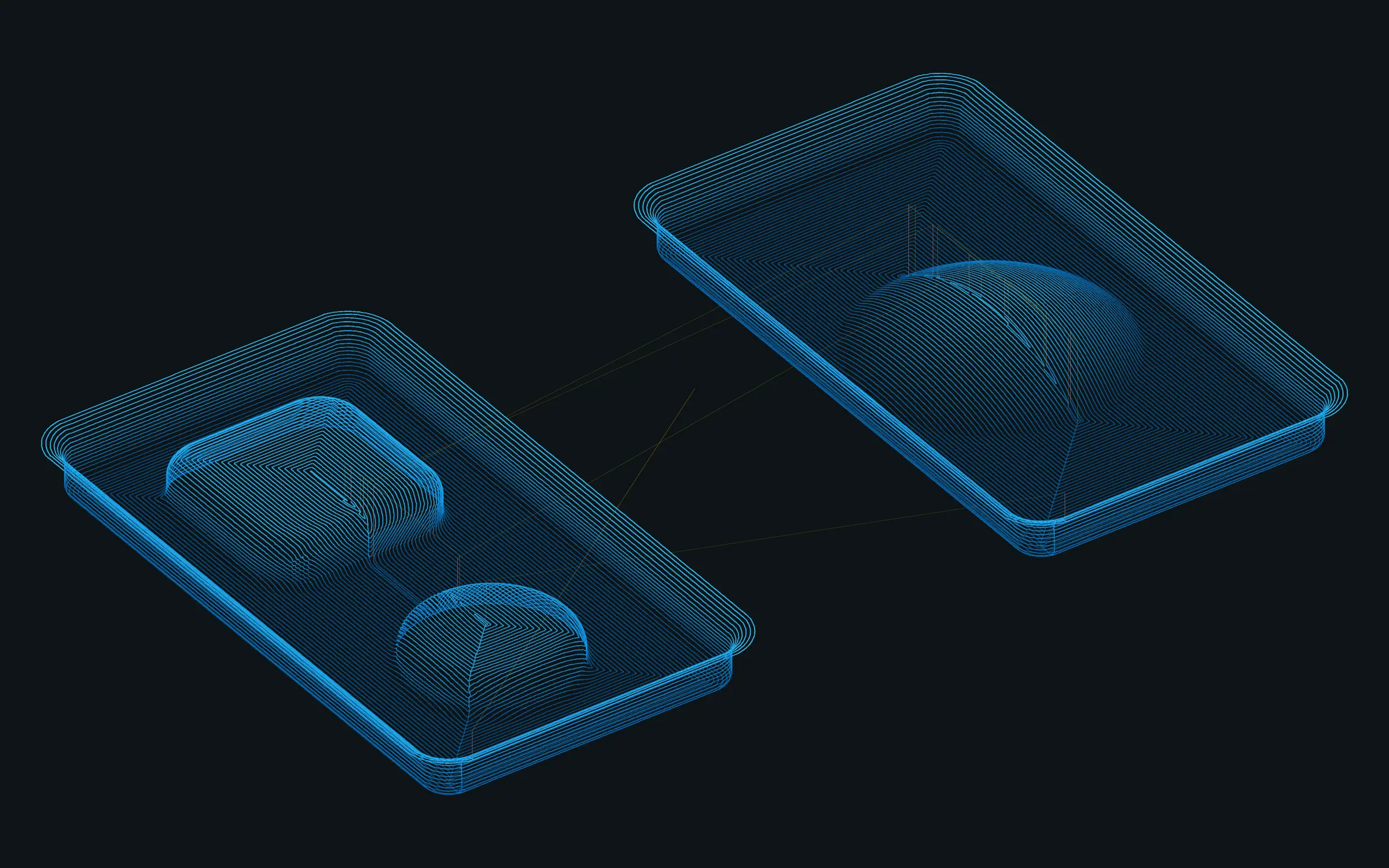
26 operations in the current build. Each one is planned on Rhino geometry and recalculates when the model changes.
2D
8 operations
-
Facing
The stock above the model, in equal passes or your stepdown.
Flat or bull nose end mill
-
2D Pocket
Inside a closed boundary and around islands, with plunge, ramp or helix entry and rest machining.
Flat or bull nose end mill
-
2D Adaptive
Pockets at constant engagement: a light load at a deep stepdown.
Flat or bull nose end mill
-
2D Contour
Along a closed profile, inside or outside, with arc leads, holding tabs, spiral down and a separate last pass.
Flat or bull nose end mill, or form mill
-
Bore
Round holes and bosses to size, each pass a helix down the wall.
Flat or bull nose end mill
-
Circular
Round holes and bosses a level at a time, finishing at full depth.
Flat or bull nose end mill
-
Drilling
Holes at points and circles, with pecking.
Drill or center-cutting end mill
-
2D Chamfer
Part edges and curves, each at its own height.
V-bit or chamfer mill
Carving
4 operations
-
2D V-Carve
Inside closed curves and text, with sharp corners and optional flat bottoms.
V-bit
-
2D Engrave
Along curves and text at a constant depth.
V-bit
-
V-Carve Flat Clearing
The flat bottoms a V-carve leaves.
Flat end mill
-
Trace
Curves, text or part edges, flat or 3D, on the curve or beside it.
End mill, V-bit or form mill
3D
11 operations
-
3D Rough
The stock above the part in Z levels.
Flat, ball or bull nose end mill
-
3D Adaptive
Roughing at constant engagement, optionally only what earlier operations left.
Flat, ball or bull nose end mill
-
3D Parallel
Parallel finishing passes at any pass angle.
Flat, ball or bull nose end mill
-
3D Waterline
Constant-Z finishing of steep walls.
Flat, ball or bull nose end mill
-
3D Steep and Shallow
Waterline on the steep walls, parallel passes on the flatter areas.
Flat, ball or bull nose end mill
-
3D Pencil
Inside corners and valleys, with passes beside them.
Ball end mill
-
3D Spiral
One spiral about a centre, for round, shallow areas.
Flat, ball or bull nose end mill
-
3D Radial
Passes radiating from a centre an angular step apart.
Flat, ball or bull nose end mill
-
3D Scallop
Rings a stepover apart along the surface: an even finish up slopes and walls.
End mill or tapered ball nose
-
3D Flat
Only the flat areas, every horizontal face at its own height.
Flat end mill or bull nose
-
3D Between Curves
Passes blended between a start curve and an end curve you pick.
End mill or tapered ball nose
4th axis
3 operations
With the setup’s machine set to a rotary A axis. Every 2D and 3D operation above also runs held at an A angle.
-
Rotary Roughing
A round or square blank down to the part, level by level round the axis.
Flat or ball end mill
-
Rotary Parallel
Finishing passes along the rotary axis at every angle position.
Flat or ball end mill
-
Rotary Contour
A spiral round the part as it turns: X, Z and A together.
Flat or ball end mill
Controllers
Each post writes only words its controller documents, and the review reads the program back in the same dialect. The last column says how far each has been proven, which today is mostly in software.
| Controller | Machines | 4th axis | File | How far it is proven |
|---|---|---|---|---|
| UCCNC | CNC Drive UC100, UC300, UC400ETH, AXBB | Yes | .nc | Cut on a router |
| Mach3 | Mach3 PCs and routers retrofitted with it | Yes | .nc | Checked in software |
| Mach4 | Avid CNC and other Mach4 machines | Yes | .nc | Checked in software |
| LinuxCNC | LinuxCNC, including Tormach PathPilot | Yes | .ngc | Checked in software |
| GRBL 1.1 | Hobby routers on GRBL boards | No | .nc | Checked in software |
| grblHAL / FluidNC | grblHAL and FluidNC boards | Yes | .nc | Checked in software |
| Masso | Masso G3 | Yes | .nc | Checked in software |
| ACU-RITE MILLPWR G2 | Knee mills with the 3-axis MILLPWR G2 | No | .nc | Test program run on a G2 |
System requirements
For version 0.81.0. Final requirements will be confirmed with the first public release.
- Operating system
- Windows, 64-bit (x64)
- Host application
- Rhino 8, version 8.35 or newer
- Installation
- Through Rhino’s Package Manager. No administrator rights needed.
- Units
- Inch and millimetre models
- Other platforms
- Rhino for Mac is not supported.
How far it is proven
- Developed against one hobby router running UCCNC in inches.
- A first-cut test plate (facing, a pocket around an island, a bore, drilled holes, V-carved text and a profile cut out on tabs) was cut in wood and measured within about 0.005 in of the drawing.
- A 3D dome ran as an air cut, and a test program has run on an ACU-RITE MILLPWR G2.
- Version 0.81.0 passes 1,173 core tests and 83 test suites run inside Rhino (9,544 checks). The suites post every controller and unit combination and reread the saved files with independent parsers.
Limits to know about
- Proven on one machine. The other controllers’ programs are checked in software only. Air-cut every new program.
- One boundary per 2D Contour or 2D Pocket operation.
- No holder, fixture or machine-travel checks.
- Feeds and speeds are yours to set. VectorMill does not recommend them.
- No automatic tool change or probing: one file per tool, changed and measured by hand.
- Feature recognition reads planes, cylinders and cones. Free-form faces and threads need review or are left out.
Not in VectorMill for Rhino yet
Planned work. None of it is in the current build, and none of it has a date.
- Licensing and activation (see Pricing).
- A public installer and download.
- A user guide and sample files.
- A post of its own for Tormach PathPilot. Today PathPilot runs the LinuxCNC post.
Release status
A working prototype in active development. It is not for sale and there is no public download yet. The current build is 0.81.0, from November 14, 2026.
-
Stock to leave on a contour’s wall and floor, and a pocket’s floor
Requires: Windows x64, Rhino 8.35 or newer
- 2D Contour: wall and floor stock to leave, so a roughing contour can leave material for a finishing one. A negative wall stock brings a part that measures big to size.
- 2D Pocket and 2D Adaptive: floor stock to leave, beside the wall stock they already had.
- The operation’s summary shows the values and the NC program notes them only when set. Programs without them are unchanged.
- Tests: 1,173 core tests and 83 Rhino suites (9,544 checks) pass.
There is no download for this build.