VectorMill Manufacturing
A standalone CAM application for Windows. No Rhino needed. Model a part or bring one in, set up the job, and machine it in the Manufacture workspace. It runs the same machining core as the Rhino plug-in, so both plan and post the same way.
Packaged for private testing only. It is not for sale and there is no public download yet.
What is in the current build
Everything in this section works in version 0.42.0. What is not there yet is listed further down.
Model, import, machine
A parametric design workspace and a Manufacture workspace in one window. Open STEP parts, or insert DXF and SVG drawings into a sketch and engrave, V-carve or trace them.
The same machining core
The planners, posts, review and simulation are the ones in VectorMill for Rhino. Test fixtures hold the two to the same programs on the same part, with each known difference written down and tested.
Every program is read back
As in the plug-in: the program is parsed as written and checked against the calculation before it is exported.
Simulate with the NC beside it
Posted programs are played on the stock and compared with the part, with the program text and its review alongside.
Your tools and machine
A tool library and a machine setup made and edited in the app, in the same files the Rhino plug-in uses.
Machining centers with a tool changer
Besides the router controllers, a setup can post for Haas or Fanuc: one program holding every tool, each called with its own length offset.
Rest machining
3D Adaptive, 2D Pocket and 2D Adaptive can cut only what earlier operations left.
Work is kept
The job is saved in the design file, and after a crash the recovered design comes back with its setups and operations.
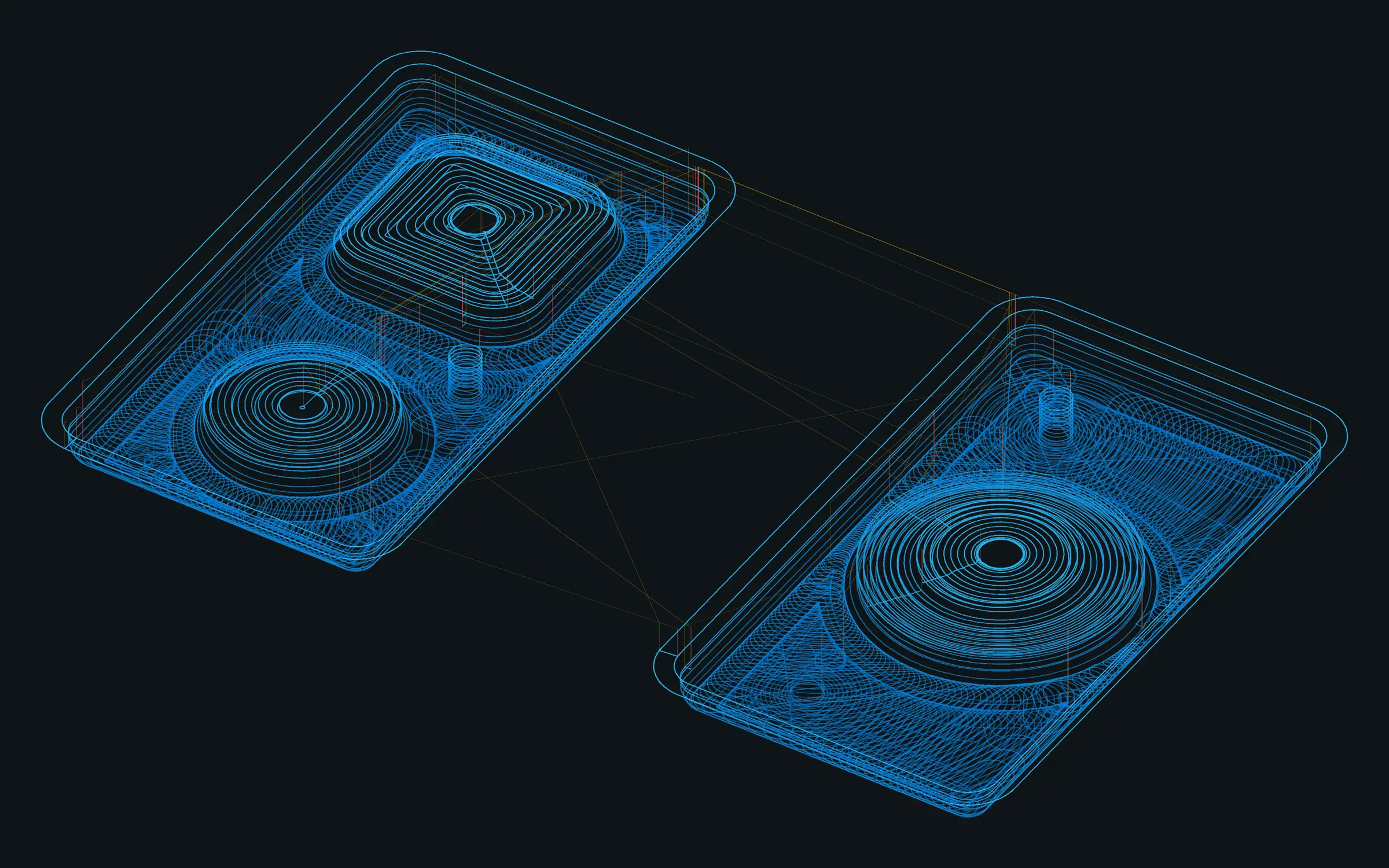
Operations
23 operations in the current build. The planners are the Rhino plug-in’s. Which cutter types each operation offers can differ from the plug-in in the current test build.
2D
8 operations
-
Facing
The stock above the model, in equal passes or your stepdown.
-
2D Pocket
Inside a closed boundary and around islands, with plunge, ramp or helix entry and rest machining.
-
2D Adaptive
Pockets at constant engagement: a light load at a deep stepdown.
-
2D Contour
Along a closed profile, inside or outside, with arc leads, holding tabs, spiral down and a separate last pass.
-
Bore
Round holes and bosses to size, each pass a helix down the wall.
-
Circular
Round holes and bosses a level at a time, finishing at full depth.
-
Drilling
Holes at points and circles, with pecking.
-
2D Chamfer
Part edges and curves, each at its own height.
Carving
4 operations
-
2D V-Carve
Inside closed curves and text, with sharp corners and optional flat bottoms.
-
2D Engrave
Along curves and text at a constant depth.
-
V-Carve Flat Clearing
The flat bottoms a V-carve leaves.
-
Trace
Curves, text or part edges, flat or 3D, on the curve or beside it.
3D
11 operations
-
3D Rough
The stock above the part in Z levels.
-
3D Adaptive
Roughing at constant engagement, optionally only what earlier operations left.
-
3D Parallel
Parallel finishing passes at any pass angle.
-
3D Waterline
Constant-Z finishing of steep walls.
-
3D Steep and Shallow
Waterline on the steep walls, parallel passes on the flatter areas.
-
3D Pencil
Inside corners and valleys, with passes beside them.
-
3D Spiral
One spiral about a centre, for round, shallow areas.
-
3D Radial
Passes radiating from a centre an angular step apart.
-
3D Scallop
Rings a stepover apart along the surface: an even finish up slopes and walls.
-
3D Flat
Only the flat areas, every horizontal face at its own height.
-
3D Between Curves
Passes blended between a start curve and an end curve you pick.
4th axis
A setup can be on a 4th axis. Each 3D operation then takes an A angle and the program carries A on every line (3+1). Operations that turn the part while cutting are not in the standalone app yet.
Controllers
Each post writes only words its controller documents, and the review reads the program back in the same dialect. The last column says how far each has been proven, which today is mostly in software.
| Controller | Machines | 4th axis | File | How far it is proven |
|---|---|---|---|---|
| UCCNC | CNC Drive UC100, UC300, UC400ETH, AXBB | Yes | .nc | Cut on a router |
| Mach3 | Mach3 PCs and routers retrofitted with it | Yes | .nc | Checked in software |
| Mach4 | Avid CNC and other Mach4 machines | Yes | .nc | Checked in software |
| LinuxCNC | LinuxCNC, including Tormach PathPilot | Yes | .ngc | Checked in software |
| GRBL 1.1 | Hobby routers on GRBL boards | No | .nc | Checked in software |
| grblHAL / FluidNC | grblHAL and FluidNC boards | Yes | .nc | Checked in software |
| Masso | Masso G3 | Yes | .nc | Checked in software |
| ACU-RITE MILLPWR G2 | Knee mills with the 3-axis MILLPWR G2 | No | .nc | Checked in software |
| Haas | Machining centers with a tool changer | Not stated | .nc | Checked in software |
| Fanuc | Machining centers with a tool changer | Not stated | .nc | Checked in software |
System requirements
For version 0.42.0. Final requirements will be confirmed with the first public release.
- Operating system
- Windows, 64-bit (x64)
- Host application
- None. It runs on its own.
- Runtime
- Included in the package. Nothing else to install.
- Units
- Inch and millimetre designs
- Other platforms
- Only Windows builds have been made and tested.
How far it is proven
- A 2D part using all eight 2D operations was cut on a router and measured, from an earlier test build.
- Nothing from the current build has been cut. Carving and 3D programs from the standalone app have not been cut yet.
- On every part compared so far, the app posts the same program as the Rhino plug-in, apart from documented differences such as rounding at the last decimal.
- Each test package is run through first-use drivers that go through the real dialogs for every operation, Post Process included.
Limits to know about
- Private test builds only. There is no installer, code signing or update channel yet.
- Holders, fixtures and machine travel are not modelled.
- Feeds and speeds are yours to set.
- The rotary operations that turn the part while they cut, and carving wrapped round the axis, are not in the app yet.
- Not every cutter type the Rhino plug-in accepts is offered in the app yet. The tapered ball nose, for one, cuts in no operation.
- Single-stroke engraving fonts and image trace, which the Rhino plug-in has, are not in the app yet.
Not in VectorMill Manufacturing yet
Planned work. None of it is in the current build, and none of it has a date.
- Licensing and activation (see Pricing).
- An installer, code signing and updates.
- A user guide, sample files and short videos.
- Real cuts for carving and 3D, and outside beta testing.
- A post of its own for Tormach PathPilot.
- The remaining rotary operations.
Release status
Packaged for private testing only. It is not for sale and there is no public download yet. The current build is 0.42.0, from November 14, 2026.
-
Its own name throughout, on a newer application base
Requires: Windows x64
- The application, its window and its program file are named VectorMill.
- Faster start: the window is drawn in well under a second on the test PC.
- Posted programs match the previous test package on the compared jobs, apart from one documented change to a tabbed cut-out.
- Every first-use driver passes on the package. Nothing from this build has been cut on a machine.
There is no download for this build.